Blogs
Read Our Exclusive Blogs

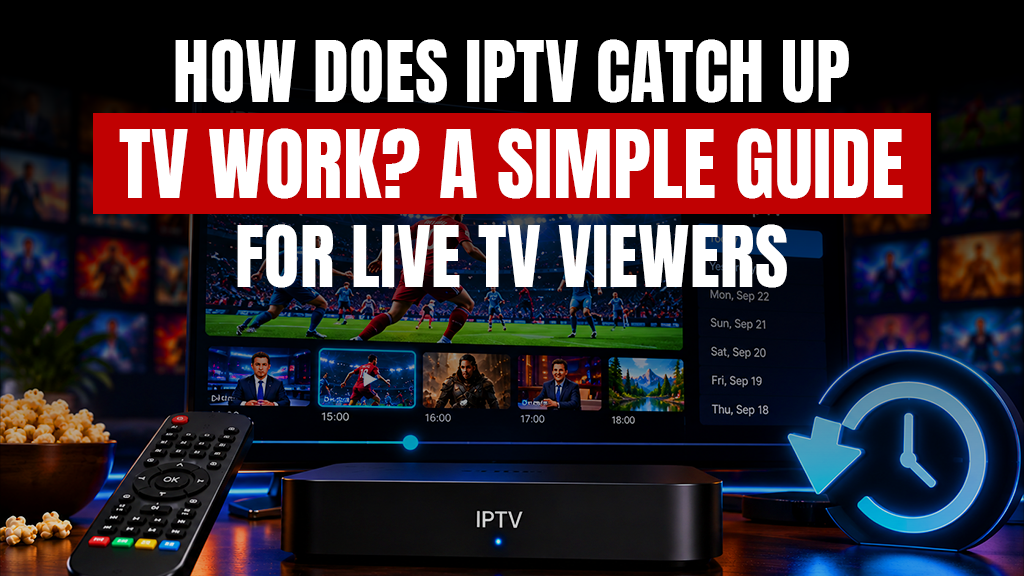
Missing a live television program no longer always means waiting for a repeat or searching for it somewhere else. Many IPTV services now let viewers return to programs that were broadcast earlier and watch them at a more convenient time. This feature is known as IPTV catch up, and it is especially useful for people who regularly watch news, sports, entertainment, or scheduled TV shows but cannot always be in front of the screen when they air. With catch up TV, selected broadcasts are temporarily stored by the provider so viewers can go back through the program guide and replay them within the available time period.
What Is IPTV catch up?
Unlike normal live television, where you can only watch what is currently being broadcast, IPTV catch up gives you access to certain programs after their original airtime.
It works as an IPTV playback feature connected to supported live channels. Instead of permanently adding every program to a library, the provider keeps selected broadcasts available for a limited period.
This creates what is sometimes described as a Live TV archive IPTV system, where recent programming can be accessed from the same channel guide used for live viewing.
How Does Catch-Up Television Work?
When a supported program airs, the IPTV provider stores a recording on its server. The user can later open the electronic program guide, choose an earlier date or time, select the program, and start playback.
This process is closely connected to IPTV EPG time shift, because the EPG shows previous programs that remain available for replay. Depending on the provider and player, viewers may also be able to pause, rewind, or fast-forward stored programs.
An IPTV service with 7 days catch up, for example, may allow eligible broadcasts to remain accessible for up to seven days before they are automatically removed.
For people learning How to watch past programs on IPTV, checking the EPG is usually the easiest place to start.
Catch-Up TV vs. Video on Demand
Catch-up television and VOD may appear similar because both let viewers watch content outside a live schedule, but they work differently.
The main IPTV video on demand vs catch up difference is where the content comes from. VOD contains a separate library of movies, series, and other prerecorded titles. Catch-up content consists of programs that were previously shown on live channels.
With catch up TV, availability is usually temporary. VOD content may remain accessible for much longer, depending on the provider’s library and licensing arrangements.
Using Catch-Up on IPTV Players
Not every IPTV player handles catch-up in exactly the same way. Some applications show a replay symbol beside supported channels or allow users to scroll backward through the EPG.
A TiviMate catch up setup, for instance, normally depends on whether the provider supplies catch-up data and whether the playlist or account has been configured correctly.
People searching for a Catch up TV player download should first check whether the application supports their device, playlist format, EPG information, and provider’s catch-up system.
The Best IPTV with catch up is not simply the service with the longest archive. Stable playback, accurate EPG data, channel availability, device compatibility, and connection quality also affect the experience.
Why Catch-Up May Not Work
If IPTV catch up is available on your subscription but a past program will not play, the issue can have several causes. The particular channel may not support archived viewing, the program may have expired, the EPG could be incorrectly configured, or the player may not fully support the feature.
For an IPTV catch up not working fix, start by refreshing the playlist and EPG, restarting the player, checking the program’s availability period, and confirming that your provider supports catch-up for that channel.
Internet stability matters as well. Because archived programs still stream over the internet, weak Wi-Fi or network congestion can cause buffering just as they can with live IPTV.
Is Catch-Up Worth Using?
For viewers who frequently miss scheduled programs, IPTV catch up adds useful flexibility without requiring them to search for every missed show separately. It can be especially convenient for live news, sports discussions, series episodes, or programs shown while the viewer was away.
Before choosing a plan, review the Prime Time TV App pricing plans and check which viewing features are included in the available options.
Overall, catch up TV bridges the gap between traditional scheduled television and on-demand streaming by giving viewers more control over when they watch recently aired programs.
FAQs
What is IPTV catch-up?
It is a feature that allows viewers to replay selected television programs after their original live broadcast.
Do all IPTV providers offer a catch-up feature?
No, availability varies by provider, subscription plan, channel, and content rights.
What is the difference between IPTV catch-up and VOD (Video on Demand)?
Catch-up replays recently aired live programs, while VOD provides a separate library of prerecorded content.
How many days does catch-up content stay available on IPTV?
The availability period varies by provider and may range from a short archive to several days.
How do I access and play catch-up TV on an IPTV app?
Open the EPG, select a previous program on a supported channel, and choose the available playback option.
Does IPTV catch-up require an extra subscription fee?
It depends on the provider, as some include it within a plan while others may restrict it to specific packages.
Which IPTV players provide the best support for catch-up and EPG?
Choose a compatible player that supports your provider’s EPG, archive format, and login method.
Why is the IPTV catch-up feature not working on my device?
Possible causes include unsupported channels, expired programs, incorrect EPG data, player compatibility, or connection issues.
What internet speed is required to stream IPTV catch-up smoothly?
The required speed depends on video resolution, although a stable connection with extra bandwidth is recommended.
Can you fast-forward, rewind, or pause catch-up TV programs?
Often yes, but playback controls depend on the IPTV provider, stream format, and player being used.
How can I check which channels support the catch-up feature?
Supported channels are often marked with an archive or replay icon in the IPTV player’s EPG.
Is it possible to download IPTV catch-up shows for offline viewing?
Only if the provider and application specifically allow downloading or offline playback.
Do I need to use a VPN while streaming catch-up content?
A VPN is not inherently required, although users should follow their provider’s terms and local laws.
Which is better for catch-up configuration: M3U URL or Xtream Codes API?
Both can work, but compatibility and catch-up support depend on the provider and the IPTV application.
Are catch-up features available for channels from all countries?
No, availability depends on the provider, individual channels, licensing rights, and regional content arrangements.
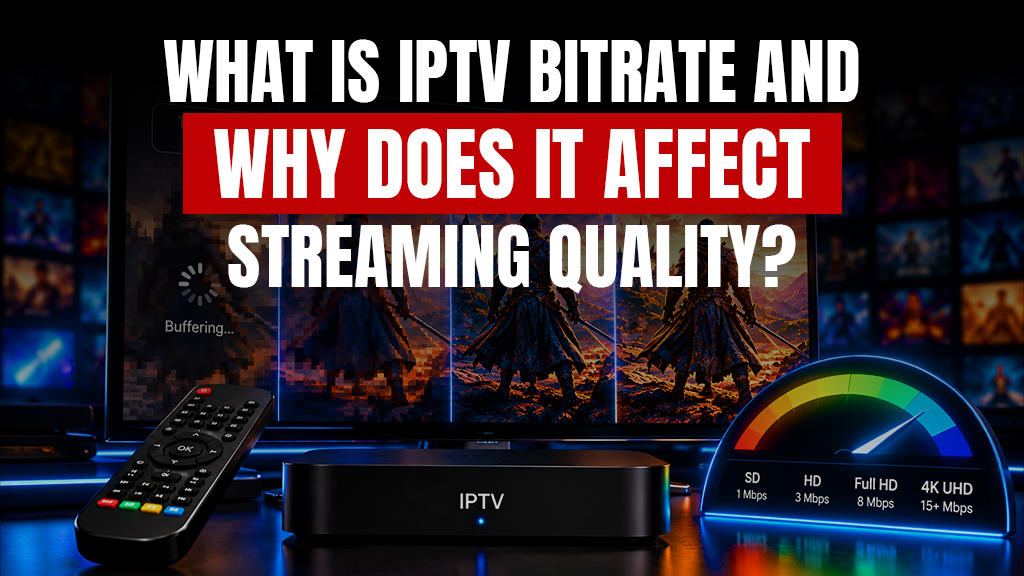
When watching IPTV, the quality of the picture and how smoothly it plays depends on more than having a fast internet connection. This is measured by IPTV bitrate. It has an effect on how clear the image looks, how smoothly the video moves, how much buffering happens and the overall IPTV streaming quality. If a stream sends little data the picture might look blurry or made up of small blocks. If the stream needs data then your internet connection can provide the video might stop and buffer. Knowing about bitrate helps people make sure their internet speed, their devices and their quality settings are all right, for watching HD or 4K streaming.
What Does Bitrate Mean in IPTV?
Bitrate measures how much data a video stream uses per second and is usually measured in megabits per second (Mbps). A suitable IPTV bitrate can preserve visual detail, especially in fast-moving scenes, but results also depend on compression, source quality, and the device.
This is why IPTV streaming bandwidth requirements are not identical for every channel. Resolution, frame rate, codec, and household usage all affect the bandwidth needed. The Best internet speed for IPTV is one that comfortably exceeds the stream’s requirement and leaves room for other online activity.
HD, 4K, and Video Compression
When comparing HD vs 4K IPTV bandwidth, 4K normally requires more data because it carries much more image information. However, resolution alone does not determine usage. 4K IPTV stream data usage per hour also depends on the actual bitrate and compression method.
The H.264 vs H.265 codec for IPTV comparison is important here. H.265, or HEVC, can generally compress video more efficiently than H.264, allowing similar visual quality at a lower bitrate when supported by the device and player.
A well-balanced stream can therefore deliver strong IPTV streaming quality without simply pushing the highest possible data rate.
Adaptive Streaming and Buffering
Adaptive bitrate streaming IPTV changes the video quality according to available network conditions.If bandwidth drops the player can switch to a quality stream to reduce interruptions and can switch back to a higher quality stream when the connection improves.
For IPTV buffering fixes and video quality, check Wi-Fi strength, router congestion, background downloads, device performance, and the stability of the source. IPTV choppy playback troubleshooting should also include testing Ethernet and comparing different channels or devices.
The IPTV service provider stream quality is equally important because even a fast home connection cannot fully correct an unstable or poorly encoded source.
Managing Bandwidth and Data
Users asking How to reduce IPTV data consumption can choose a lower resolution or quality setting when the player or provider supports it. This can be useful on limited data plans or when several devices share the same connection.
Before subscribing, review the Prime Time TV App pricing plans and consider how your internet setup, devices, and viewing quality fit the available options. Finding the balance between bandwidth and stream settings can make a big difference in IPTV streaming quality. It helps keep the video smooth and clear, without using much data. This way you get performance without overloading your internet connection.
FAQs
What is a good bitrate for IPTV streaming?
A good bitrate depends on the resolution, frame rate, codec, source quality, and available internet bandwidth.
How much internet speed do I need for HD IPTV?
Your internet connection should comfortably exceed the bandwidth required by the HD stream and other active devices.
What is the minimum bitrate required for 4K IPTV?
There is no single minimum because 4K requirements vary by codec, frame rate, compression, and provider encoding.
How does video bitrate affect IPTV stream quality?
Higher bitrate can preserve more image detail, but compression quality and network stability also affect the result.
Why does my IPTV buffer even with a high bitrate connection?
Buffering may result from weak Wi-Fi, network congestion, server issues, device limits, or insufficient available bandwidth.
How much data does an IPTV stream consume per hour?
Hourly data consumption depends mainly on the stream’s bitrate, resolution, codec, and total viewing time.
What is the difference between H.264 and H.265 audio/video codecs in IPTV?
H.265 generally compresses video more efficiently than H.264, although compatibility varies between devices and players.
How does Adaptive Bitrate (ABR) work in IPTV applications?
ABR automatically switches between available quality levels according to current network conditions to maintain playback.
Can a VPN affect my IPTV streaming bitrate and speed?
Yes, a VPN can affect speed and latency because traffic passes through an additional encrypted server.
How can I check the live bitrate of my IPTV stream?
Some IPTV players, router tools, and device network monitors can display current bitrate or bandwidth usage.
Does a higher frame rate (60fps vs 30fps) require a higher IPTV bitrate?
Usually yes, because more frames must be encoded each second to maintain similar visual quality.
How can I reduce IPTV data consumption without losing too much quality?
Use a slightly lower resolution or quality setting and an efficient codec when your device supports it.
Why do some IPTV channels have lower bitrates than others from the same provider?
Channels may use different resolutions, codecs, frame rates, source feeds, and compression settings.
Does switching from Wi-Fi to an Ethernet cable improve IPTV bitrate stability?
Ethernet can improve stability by reducing wireless interference and signal-strength fluctuations.
What is the impact of audio bitrate on overall IPTV bandwidth usage?
Higher audio bitrate increases total bandwidth usage, although video normally accounts for the larger share.
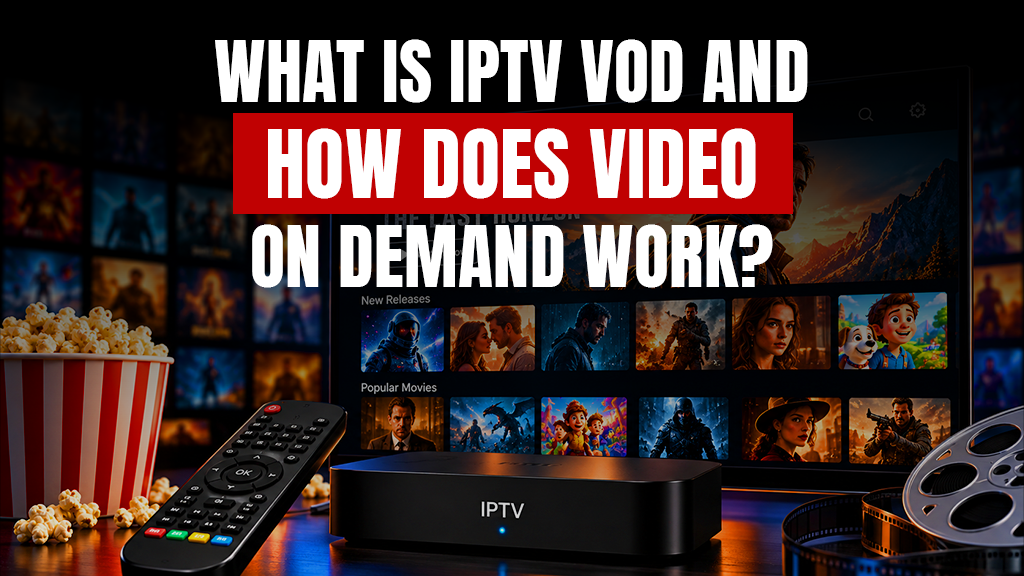
Streaming has changed the way people watch television because viewers no longer have to organize their day around a fixed broadcast schedule. By waiting for a movie or a TV episode to air at a specific time users can open a streaming library, select what interests them and start watching almost immediately. This is where IPTV VOD becomes useful. It combines internet-based television technology with the convenience of on-demand viewing giving users access to films, series, documentaries and other prerecorded programs whenever they want. For people who enjoy both television and IPTV movies, VOD creates a more flexible viewing experience that fits around their own schedule.
What Does IPTV VOIPTV streaming bandwidth requirements
D Mean?
IPTV VOD stands for Internet Protocol Television Video on Demand. It refers to prerecorded video content delivered through an IPTV service instead of being broadcast according to a fixed television schedule.
A Video on Demand IPTV service usually provides a digital library where viewers can browse available movies, series, documentaries, children’s programs, and other entertainment. Once a title is selected, playback can begin without waiting for it to appear on a live channel.
How Does Video on Demand IPTV Work?
When you select a title from an IPTV VOD library, your device sends a request over the internet to the service’s server. The requested video is then delivered to your device as a stream, allowing playback to begin without downloading the entire file first.
Users can normally access content through compatible IPTV streaming player apps installed on devices such as Smart TVs, Firesticks, Android TV boxes, smartphones, tablets, or computers.
Some IPTV services provide account credentials, while others support playlist-based access. An IPTV Smarters Pro playlist setup, for example, may use login information supplied by the provider. Services may also provide M3U URL links for VOD, which compatible players use to organize and display available content.
Live IPTV or Video on Demand
Both Live IPTV and VOD broadcast content over the internet but they serve different needs. Live IPTV is similar to traditional television. A channel continuously broadcasts programs in a schedule, and viewers join whatever is playing.
VOD works differently because viewers select a prerecorded title and decide when playback begins. A Live TV and VOD subscription package can therefore provide both experiences within the same service.
Someone might watch a sports event live and later choose from a selection of IPTV movies or TV episodes without needing to wait for another scheduled broadcast.
What Is the Difference Between VOD and Catch-Up TV?
VOD and catch-up television are often confused, but they are not exactly the same. VOD normally contains a prepared library of movies, series, and other programs that can be selected at any time while they remain available. An IPTV service with catch-up TV, on the other hand, allows viewers to go back and watch selected programs that recently aired on live television.
Catch-up is therefore connected to previously broadcast programming, while VOD functions more like an independent content library.
What Should You Look for in a VOD Service?
A good VOD experience is not about having a large number of titles. Users also need to think about how content’s organized. The streaming quality matters a lot. Navigation has to be simple and clear. Users often want to watch on devices at once so connection allowances are important. Playback must stay stable without buffering or freezing. All these things together make an experience, for anyone using a VOD service.
When searching for the Best IPTV provider for movies and series, it is useful to check whether the provider supports the devices you already use and whether its subscription terms match your household’s viewing habits.
A well-organized On-demand TV shows streaming service should make it easy to browse categories, locate episodes, search for specific titles, and return to content without spending too much time navigating menus.
For viewers mainly interested in IPTV movies, checking the provider’s available plans and features before subscribing can help determine whether the service suits their entertainment preferences.
Is IPTV VOD the Same as OTT Streaming?
IPTV and OTT streaming are related concepts, but they are not always identical. Over-the-top (OTT) video streaming platforms deliver television and video content directly over the internet rather than through traditional cable or satellite systems. IPTV also delivers content using internet technology, although the way services handle playlists, players, accounts, and content delivery can differ.
Can You Download VOD Content?
IPTV VOD is primarily designed for streaming, so selecting a movie does not automatically mean that a permanent video file is downloaded to your device.
Whether offline downloading is available depends on the provider, application, content rights, and licensing permissions. Search phrases such as HD movies IPTV server download can therefore be misleading because streaming a movie from a server and downloading a copy for offline use are two different processes.
How to Enhance Your VOD Streaming Experience
One of the most important factors for smooth streaming is a stable internet connection. Higher-resolution video requires more bandwidth, especially when several people in the same household are streaming at once.
Keeping your streaming device and application updated, maintaining a strong Wi-Fi connection, and reducing unnecessary network activity can also improve performance. If IPTV VOD frequently buffers or freezes, testing another device or connection can help identify whether the issue is related to the network, player, hardware, or service.
Before you choose a subscription, check out the Prime Time TV App pricing plans, and select a plan that suits your viewing habits, devices and connection needs.
FAQs
What is IPTV VOD?
It is video-on-demand content delivered through IPTV that allows viewers to select and stream available prerecorded programs whenever they choose.
What is the difference between Live IPTV and IPTV VOD?
Live IPTV follows a real-time broadcast schedule, while VOD allows viewers to start selected prerecorded content on demand.
Do I need a specific player to watch IPTV VOD?
You need a compatible IPTV player or application that supports the login or playlist format provided by your service.
What is an M3U playlist for VOD?
An M3U playlist is a file or URL containing media links that compatible IPTV players can use to organize and access VOD content.
Can I download movies from an IPTV VOD library to watch offline?
Only if the IPTV provider and application officially offer an offline download feature for the selected content.
Why is my IPTV VOD buffering or freezing?
Buffering may result from slow internet, weak Wi-Fi, network congestion, device limitations, player issues, or server problems.
What does “Catch-Up TV” mean in IPTV?
Catch-Up TV allows viewers to replay selected programs that previously aired on supported live television channels.
Is using IPTV VOD services legal?
Legality depends on whether the service has the necessary rights and licenses to distribute its content in the relevant jurisdiction.
Can I watch IPTV VOD on multiple devices simultaneously?
Yes, if your subscription includes enough simultaneous connections and the provider permits multi-device streaming.
How much internet data does streaming IPTV VOD consume?
Data consumption depends mainly on viewing time and video quality, with HD and 4K streams generally using substantially more data.
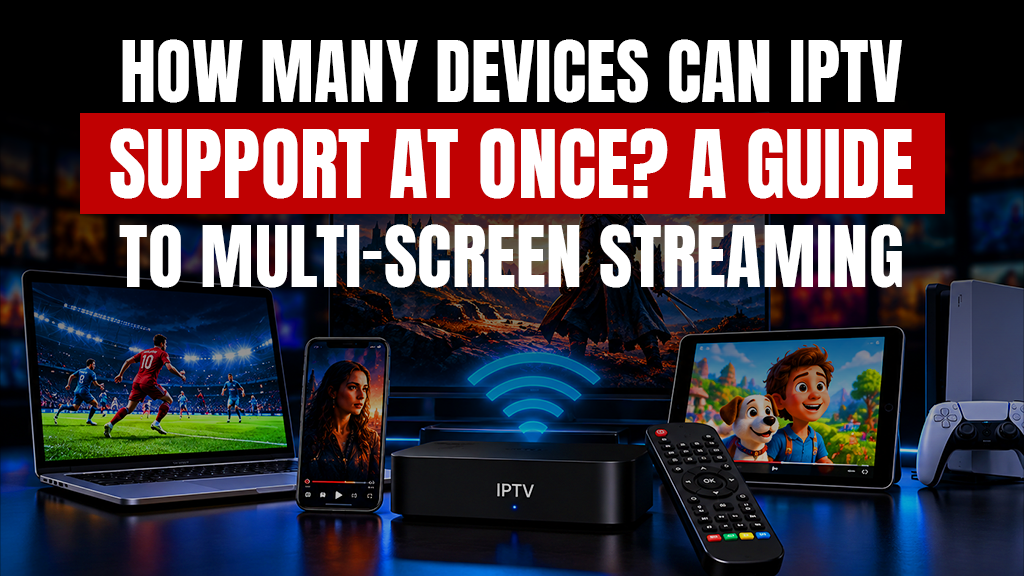
IPTV has made it easier for households to watch live TV, movies, sports, and entertainment across different screens without being tied to a single television. In one home, someone might be watching a football match on a Smart TV while another person streams a movie through Firestick and someone else watches from a phone or tablet. However, a device and a connection are not necessarily the same thing. You could have IPTV installed on four devices while your subscription includes only one active connection. In that situation, only one device may be able to stream at a time.
This is why understanding IPTV multiple devices support, simultaneous connection limits, internet requirements, and provider rules is important before choosing a subscription. The right setup can make multi-screen viewing convenient while helping prevent login errors, buffering, and interrupted streams.
What Does Multi-Device IPTV Actually Mean?
When a provider supports IPTV multiple devices, it generally means the IPTV service can be installed or accessed on more than one compatible device. These can include Smart TVs, Android TV boxes, Firesticks, smartphones, tablets, laptops, and other supported streaming devices.
However, a device and a connection are not necessarily the same thing. You could have IPTV installed on four devices while your subscription includes only one active connection. In that situation, only one device may be able to stream at a time.
This is where IPTV multiple connections become important. Each active connection generally represents one stream running at the same time. Therefore, a household with three people who regularly watch different channels may need more connections than someone who simply switches between a television and smartphone.
How Many Connections Does Your Household Need?
The ideal number of connections depends on how many people are likely to watch IPTV simultaneously. A single viewer may only need one connection, while couples and families may benefit from two, three, or more.
People searching for How to use IPTV on two devices simultaneously generally need a subscription that permits at least two active streams. Similarly, a household may consider Cheap IPTV with 3 connections when three viewers regularly watch different content at the same time.
For larger households, an IPTV family plan 5 connections can offer more flexibility when supported by the provider. An IPTV multi room subscription may also be useful when televisions in bedrooms, living rooms, or other areas need independent access.
Instead of choosing a plan based only on the number of devices you own, consider the maximum number of people who are realistically going to watch at the same time.
Can You Stream on Different Types of Devices?
Yes, provided your subscription and provider rules allow it. IPTV multiple devices access can make it possible to move between televisions, streaming sticks, phones, tablets, and other compatible hardware.
For example, people who want to watch IPTV on Firestick and Android TV at the same time will normally need enough active connections for both streams. The IPTV simultaneous streams limit determines how many screens can actively play content together.
The app or player you choose also matters. The Best IPTV player for multiple devices should work smoothly with your hardware, support your provider’s login format, offer stable playback, and make channels, favorites, and playlists easy to manage.
Xtream Codes and M3U on Multiple Devices
Many IPTV services provide access through Xtream Codes or an M3U playlist. Xtream Codes multi device login generally involves entering a server URL, username, and password into a compatible IPTV application.
An M3U playlist for multiple devices may also be added to different supported apps. However, adding the same playlist to several devices does not automatically increase the number of streams included with your subscription.
Your provider’s IPTV connection sharing policy may specify whether the same credentials can be used across different devices, internet connections, IP addresses, or locations. Reviewing these rules beforehand can help avoid unexpected access restrictions.
Internet Speed Matters for Multi-Screen Streaming
Even when your plan includes IPTV multiple connections, your home internet connection needs enough capacity to handle every active stream. Streaming several HD or 4K channels simultaneously can require considerably more bandwidth than watching on one screen.
A reliable router, strong Wi-Fi coverage, and sufficient broadband speed can help maintain stable playback. Ethernet connections can also be useful for televisions or streaming devices that remain in a fixed location.
When IPTV multiple devices are streaming together, remember that gaming, video calls, downloads, social media, and other online activities are also competing for the same internet bandwidth.
Choosing the Right Multi-Device IPTV Plan
A good multi-screen setup is a function of three things: how many people are watching at the same time, what kind of devices they’re watching on, and what your provider allows. Simply installing an IPTV application on several screens does not mean they can all stream at once.
If your household regularly watches on multiple screens, choosing suitable IPTV multiple connections can help reduce interruptions and make viewing more convenient. Compare the available Prime Time TV App pricing plans and choose a connection allowance that matches your household’s normal viewing habits.
Ultimately, IPTV multiple devices support works best when your subscription limits, internet connection, compatible players, and household usage are properly matched.
FAQs
Can I use my IPTV subscription on multiple devices?
Yes, if your provider allows multiple device installations and your subscription includes enough simultaneous connections.
What happens if I exceed the allowed IPTV connection limit?
The additional stream may fail to start, disconnect another device, or result in a temporary restriction depending on the provider.
How do I configure Xtream Codes multi-device login?
Enter the server URL, username, and password provided by your IPTV service into a compatible player on each permitted device.
Can I use one M3U playlist for multiple devices?
Yes, if your provider permits it, although simultaneous streaming will still depend on the number of connections included in your plan.
What is an IPTV multi-room subscription?
It is a subscription designed to support IPTV viewing on separate televisions or devices in different rooms.
What is the best IPTV player for multiple devices?
Choose a player that supports your devices, login method, EPG, playlist management, and stable video playback.
Can I watch IPTV on Firestick and Android TV at the same time?
Yes, provided your subscription includes at least two simultaneous connections and the provider permits both devices.
Do I need a separate IPTV subscription for my smartphone?
Not necessarily, as an available connection on your existing subscription may allow you to stream on your smartphone.
Is there a difference between a connection and a device registration?
Yes, device registration identifies an authorized device, while a connection generally represents one active stream.
What is a standard IPTV connection sharing policy?
It explains how many devices, streams, users, networks, or locations are permitted to access one IPTV subscription.
Can I use a multi-device IPTV plan on different IP addresses?
It depends on the provider, as some allow different networks while others restrict simultaneous access across multiple IP addresses.
Are there cheap IPTV plans with 3 connections or more?
Yes, some providers offer plans with three or more connections, although pricing and usage conditions vary between services.
How much internet speed do I need for an IPTV family plan with 5 connections?
The required speed depends on video quality, but several simultaneous HD or 4K streams require a fast and stable internet connection.
Why is my IPTV buffering on the second device even though I paid for multiple connections?
Buffering may be caused by weak Wi-Fi, insufficient bandwidth, router congestion, device performance, or other network activity.
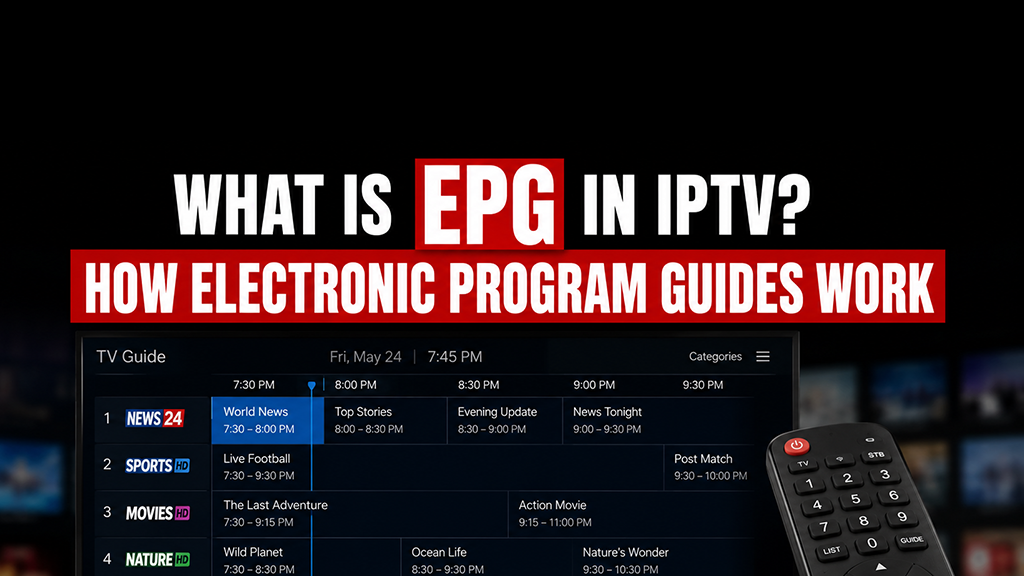
For IPTV users, finding a channel is only part of the viewing experience. Knowing what is playing now and what comes next is just as useful. What Is EPG in IPTV is a common question because an electronic program guide gives viewers a structured schedule of programs, channels, and broadcast times.
A properly configured IPTV EPG makes navigation easier by showing programming information directly inside a compatible player. Instead of opening channels one by one, viewers can check the schedule first and choose what they want to watch.
How an EPG Works
An EPG gets scheduling details from an IPTV provider or another guide that works with it. These details and information can include program titles, when they start and when they end, channel names, quick descriptions and details about things that will be shown next. The guide is then synchronized with the channels available in the IPTV service so people watching can see programming information directly inside the player.
For users wondering What Is EPG in IPTV it can be understood as an IPTV TV guide connected to the channels in a service. The player reads the available EPG data, matches it with the correct channel, and presents it in an organized layout such as a timeline or grid. This allows users to quickly check what is currently playing, what is scheduled next, and when a specific program will begin without opening each channel individually.
What Information Can an EPG Display?
A typical electronic TV guide shows current and upcoming programs, broadcast times, and basic descriptions. Some guides may also include episode information or program categories.
The IPTV EPG works as an IPTV channel guide, allowing viewers to see what is currently airing without switching between streams. A live TV program guide is particularly useful for news, sports, entertainment, and other scheduled programming.
Channel Schedules and Listings
An EPG can provide an organized IPTV channel schedule so users do not have to remember broadcast times. The live TV schedule may appear as a grid, timeline, or channel by channel list.
It can also display TV channel listings and serve as an IPTV programming guide for large channel libraries. When a service contains many IPTV channels, this structure can make browsing much faster.
Connecting EPG Data to IPTV
Some providers include guide information automatically, while others may supply a separate EPG playlist or guide URL. In certain setups, the guide connects with an IPTV playlist and matches scheduling information to channel identifiers.
A reliable IPTV EPG depends on accurate data and correct channel mapping. Users should use guide information from their legitimate IPTV provider or another authorized source.
Why EPG Is Useful for Streaming
For live TV streaming, viewers often want to know what is on now and what begins next. The guide reduces unnecessary channel switching and provides useful TV program information before a stream is opened.
A well maintained IPTV EPG can also help viewers plan what to watch, discover upcoming programs, and move between channels more efficiently.
Common EPG Problems
Common EPG Issues Sometimes EPGs can be blank, or have the wrong time for programs, or display old information. These issues can occur for a number of reasons, such as an invalid or expired guide URL, stale EPG data, mismatched channel IDs, wrong time zone settings, or temporary issues with the IPTV provider. Sometimes the channels will stream normally but the guide information will not load or will not match the correct programs.
If you see an EPG issue, try refreshing or reloading the guide in your IPTV player first. Also, make sure the EPG source is still active and that the correct time zone is selected in the app settings.
If only a few channels are out it may be a channel mapping problem, not the entire guide. Restarting the player quickly or updating the EPG information or reentering the guide URL can often resolve small loading and sync problems.
Why It Matters
In simple terms, What Is EPG in IPTV comes down to having a digital television schedule built into the IPTV experience. When the information is accurate, it makes live viewing more organized and convenient.
For users who regularly browse multiple channels, a final benefit of IPTV EPG functionality is consistency: it creates a clearer, more familiar way to navigate live programming.
FAQs
What Is EPG in IPTV?
It is a digital guide that shows current and upcoming programs for compatible IPTV channels.
How does an IPTV EPG work?
It loads scheduling data and matches it with the correct channels in your IPTV player.
What does EPG mean in IPTV?
EPG means Electronic Program Guide, a digital schedule for television programming.
Why is an EPG important for IPTV?
It helps viewers check programs, times, and upcoming broadcasts without opening each channel.
How do I use an EPG with IPTV?
Load the guide information supplied by your IPTV provider into a compatible player.
How do I add EPG data to my IPTV playlist?
Enter the compatible EPG URL or guide details provided by your service.
Does every IPTV service provide an EPG?
No, guide availability depends on the provider, package, and player.
What information does an IPTV EPG display?
It can show titles, channel names, start times, descriptions, and upcoming programs.
Why is my IPTV EPG not working?
The issue may involve outdated data, an invalid URL, channel mapping, or player settings.
How can I fix incorrect EPG information?
Refresh the guide, verify the source, and check channel and time zone settings.
Does IPTV Smarters Pro support EPG?
Yes, compatible versions can display EPG information when valid guide data is available.
Can I use an EPG on Firestick?
Yes, supported IPTV players on Fire TV devices can display EPG data.
Can I use an EPG on Smart TV?
Yes, if the Smart TV app or connected player supports EPG functionality.
How often is EPG data updated?
The update frequency varies by provider and guide source.
What is the difference between EPG and a traditional TV guide?
An EPG is integrated digitally into the viewing interface, while traditional guides may be separate.
The cost of television is rising and how people watch TV is changing to rethink how they watch entertainment and their favorite shows. Instead of paying for a lot of channels they may not even watch, people now have flexible cable TV alternatives that use the internet to bring TV, movies, sports and more to their homes.
For those looking for alternatives to cable TV, something different from traditional cable TV, IPTV can be a good choice because it offers live TV and works on many devices. A smart choice for a cable TV replacement can also make watching easier. Give families more control over what they pay for.
Why More Viewers Are Cutting the Cord
Traditional packages can include unwanted channels, equipment charges, and long term commitments. Modern cord cutting services let viewers choose internet based options that better fit their habits.
This shift has made live TV streaming, internet TV, and online television practical for everyday use. Many streaming TV services combine scheduled programming with on-demand content, giving viewers more flexibility than traditional cable television.
For households focused on convenience, these newer cable TV alternatives can reduce dependence on provider specific hardware and fixed viewing locations.
How IPTV Works as a Cable Alternative
An IPTV streaming service is a television programming service that streams television programming over an internet connection rather than a traditional cable line. The user connects to the service via a compatible player / app using their provider’s credentials.
Depending on the provider, an IPTV subscription may include live TV channels, movies, series, catch up programming, or other supported media. This makes IPTV one of the more adaptable alternatives to cable TV for viewers who want both live and on demand viewing.
A suitable cable TV replacement should still be chosen carefully. Licensing, streaming quality, customer support, content availability, and device compatibility can vary between providers.
What You Need to Switch
Moving away from cable does not require a complicated setup. Most users need reliable broadband, a compatible screen, and one of several supported streaming devices.
Many televisions support Smart TV streaming directly through apps. Others can use Firestick TV, Android based media players, or other supported hardware.
Before choosing among cable TV alternatives, check whether the service works with your existing devices. Also consider how many simultaneous connections your household needs.
Cost and Flexibility
One major reason people cut the cord is the potential for cable bill savings. Instead of paying for equipment rentals and large bundles, users may choose a more focused monthly TV subscription based on their viewing needs.
However, price should not be the only consideration when comparing alternatives to cable TV. A legitimate provider, stable performance, clear terms, and reliable support are equally important.
The right cable TV replacement should balance affordability with dependable access. Very cheap services offering large amounts of premium content without clear licensing should be treated cautiously.
What to Check Before You Subscribe
Before you pay for any service, you should review the channel list. You should also check which devices are supported, what is the cancellation policy, how many people can watch at the time and how to get customer support options. Make sure the provider gives an explanation of the licensing and billing terms. If the provider offers a trial, you should take it because this short trial helps you see if the playback quality and navigation are good before making a longer commitment to a plan.
Choosing the Right Option
No single service suits every household. Sports fans, movie watchers, families and news watchers may want different features. Check channel availability, app support, resolution, cancellation terms, and customer service before signing up.
For many households, cable TV alternatives offer more freedom than a conventional package. IPTV can be part of that transition when it comes from a legitimate provider and is supported by a stable internet.
Ultimately, the best choice should fit your viewing habits, budget, and devices. With the right setup, cable TV alternatives can make cutting the cord practical without giving up convenient access to television entertainment.
FAQs
What are the best alternatives to cable TV?
The best choice depends on your budget, preferred channels, devices, and viewing habits.
How does IPTV compare with cable TV?
IPTV uses the internet, while cable relies on a dedicated television network.
Is IPTV a good alternative to cable TV?
Yes, when you have reliable internet and use a legitimate provider.
How do I cut the cord and switch to IPTV?
Choose a legal provider, confirm compatibility, and configure a supported player.
Can I watch live TV without cable?
Yes, licensed internet based services can provide live television without cable.
Is IPTV cheaper than cable TV?
It can be, depending on your provider, package, and internet costs.
What do I need to switch from cable TV to IPTV?
You need reliable internet, a compatible device, and valid provider credentials.
Can I watch sports without cable TV?
Yes, if your licensed service includes the sports content you want.
Can I use IPTV on a Smart TV?
Yes, many Smart TVs support compatible IPTV apps or external devices.
Can I use IPTV on Firestick?
Yes, supported players can run on compatible Fire TV devices.
What internet speed do I need for IPTV?
A stable broadband connection with enough bandwidth for your chosen resolution is recommended.
Can IPTV completely replace cable TV?
For many households, yes, if the service meets their viewing needs.
Is IPTV legal?
Yes, when the provider is authorized to distribute the content.
What devices support IPTV?
Smart TVs, Fire TV devices, Android hardware, phones, tablets, and computers can support IPTV.
How much can I save by cutting the cable TV cord?
Savings vary based on your previous plan and new subscription costs.
Streaming television over the internet has become a replacement for traditional cable and Amazon Firestick makes digital entertainment easy to access. When you have an application, a reliable internet connection and an authorized provider, Amazon Firestick lets viewers watch and enjoy live programming directly on their television. IPTV on Firestick makes this setup even more convenient for internet based viewing.
If you are learning how to set up IPTV on Firestick, the process is straightforward when completed in the correct order. This guide explains everything from preparing your device and selecting an application to adding your provider details and improving streaming performance.
What You Need Before Starting
Before beginning your Firestick IPTV setup, make sure your Firestick is connected to your television, powered properly, and connected to a stable Wi-Fi network. A reliable connection is important because interruptions can cause buffering or playback problems.
You will also need an account with a legitimate IPTV streaming service. Your provider may give you a username and password, an M3U link, or another playlist URL. Keep these details available because they are normally required during configuration.
It is also important to choose an application that supports your provider’s login method. Checking compatibility first can save time and prevent setup problems.
Step 1: Prepare Your Firestick
IPTV setup guide first starts by connecting your Firestick to your television. Finish its basic setup. Then connect your Firestick to your home Wi‑Fi network. Verify that the connection works properly.
A quick way to test your connection is to open another streaming application and play a video. If the video loads normally your Firestick should be ready for IPTV on Firestick setup.
For the results keep the Firestick within a strong Wi‑Fi range. If your router is away or if there are several walls between the router and the television the Firestick connection may be affected.
Step 2: Choose a Compatible IPTV Application
The next step is choosing an IPTV app for Firestick that works with your provider. Different applications support different login methods, playlist formats, and features, so compatibility should be your priority.
An IPTV player for Firestick generally provides the interface for organizing and playing content supplied by your IPTV provider. The player itself typically does not supply television channels.
When comparing applications, consider playlist support, channel organization, EPG compatibility, playback controls, and easy navigation for a smoother IPTV on Firestick experience.
Step 3: Install the Application
After selecting a suitable player, follow the legitimate installation instructions available for your Firestick. The exact process to install IPTV on Firestick can vary depending on the application and its availability.
After installation, launch the app and follow the initial setup instructions that appear on screen. Some players may ask for permissions or ask you to choose a preferred configuration.
Before we move on, check out the app’s main menu to see where you can find the login, playlist, live TV and settings sections. This makes the remainder of the setup much easier.
Step 4: Add Your Provider Details
Now connect the application to your authorized IPTV service. Open the appropriate login or playlist section and enter the information supplied by your provider.
Some services provide a username and password, while others use an IPTV playlist URL. If you receive an M3U playlist, enter the URL carefully into the corresponding field.
Here precision counts. A typo in your username, password or playlist URL may prevent the app from loading your content. Type in the information, save your settings and allow time for the application to pull up your available programming.
Once successfully loaded, you should be able to browse your available IPTV channels on Firestick and select the content included with your service.
Step 5: Start Watching
After completing the configuration, you can begin IPTV streaming on Firestick. Depending on your provider, content may be organized into live channels, movies, series, or other categories.
For viewers interested in live TV on Firestick, open the live television section and browse the channels available through your subscription.
Some users may also choose IPTV Smarters Pro on Firestick when it is compatible with their service and currently available through an authorized source. Always check the application’s current availability and use legitimate installation methods.
IPTV Without Traditional Cable
One benefit of Fire TV Stick IPTV is that television content can be delivered through an internet connection rather than a traditional cable box. Your Firestick connects to the internet and communicates with the compatible service through its installed application.
A valid IPTV subscription on Firestick can provide access to the channels and content included in your provider’s package. IPTV on Firestick can therefore be a convenient option. Available programming depends on the service and subscription plan you choose.
Improve Streaming Performance
If you want reliable Firestick live TV you really need to focus on having a stable internet connection. A strong connection is essential for smooth IPTV on Firestick, especially when watching high quality video. Try to keep your Firestick close to your Wi-Fi signal. You should also stop devices from using too much internet at once. If things start acting up just restart your router to fix those connection problems.
You should also make sure that your Firestick and all the apps you have installed are updated. If you experience buffering check if it happens on every channel or only on a program. This will help you figure out whether the problem is, with your network, the app itself or your provider. Also double‑check your playlist and account details to prevent connection errors.
FAQs
How do I set up IPTV on Firestick?
Connect your Firestick to Wi-Fi, install a compatible player, enter your provider’s credentials or playlist, and load the available content.
Can I watch IPTV on Firestick?
Yes, you can use a compatible application to stream authorized IPTV content directly through your Firestick.
What is the best IPTV app for Firestick?
The best application depends on your provider, supported formats, features, interface, and personal streaming preferences.
How do I install an IPTV player on Firestick?
Choose a compatible player, follow its legitimate installation instructions, open it, and enter your provider’s required information.
Do I need an IPTV subscription to use IPTV on Firestick?
Generally, yes, because the player itself does not normally provide channels and requires an authorized content source.
Can I install IPTV Smarters Pro on Firestick?
If the application is available for your device and region, you can install it through an authorized method and add compatible service details.
How do I add an IPTV playlist to Firestick?
Open a compatible player, select its playlist option, enter the URL supplied by your provider, and save the configuration.
Does IPTV on Firestick support live TV channels?
Yes, compatible IPTV services can provide live channels when live television is included in the provider’s offering.
Can I use an M3U playlist on Firestick?
Yes, many compatible IPTV players support M3U playlists and can import channel information through a provider supplied URL.
Why is my IPTV not working on Firestick?
Check your internet connection, login details, playlist status, application, and provider availability to identify the problem.
Can I use IPTV on Firestick without cable?
Yes, IPTV uses an internet connection, so traditional cable service is not required when your provider supports internet based television.
Is IPTV on Firestick legal?
The technology itself is not inherently illegal, but users should choose legitimate providers with appropriate rights to distribute their content.
What internet speed is recommended for IPTV on Firestick?
A stable connection with enough bandwidth for your selected video quality is recommended, with higher resolutions generally requiring more bandwidth.
Can I use IPTV on multiple Firestick devices?
That depends on your provider’s subscription terms, as some services permit multiple devices while others restrict simultaneous connections.
How do I improve IPTV streaming quality on Firestick?
Use a stable internet connection, maintain a strong Wi-Fi signal, update your device and application, and close unnecessary background applications.
IPTV Smarters Pro is a media player that helps users watch IPTV content using login details or playlists provided by an IPTV service. Rather than offering channels itself, the software acts as an interface where users can organize live television, movies, series, and program information. The easy to use design and support for devices make it a good choice, for people who want a way to control their streaming access.
What Does IPTV Smarters Pro Do?
At its core, IPTV Smarters Pro works as an IPTV player app. Users connect the player to a compatible service by entering account details, an Xtream Codes style login, or a playlist URL provided by their service. Once connected, the interface can display live channels, categories, on demand titles, and scheduling information depending on what the provider supports.
The IPTV Smarters Pro app does not normally include its own television channels or media library. The player and the content source are separate. It is best viewed as an IPTV streaming player that organizes and plays streams rather than supplying the streams itself.
Key IPTV Smarters Pro Features
Useful IPTV Smarters Pro features can include live television playback, favorites, parental controls, external player support, catch up options, and access to program information. Available functions can vary by version, platform, and provider.
The IPTV Smarters Pro EPG function can display an electronic program guide when guide data is supplied correctly. For users who watch movies or series, IPTV Smarters Pro VOD can organize compatible video on demand libraries into easy to browse categories.
The software can also work as an IPTV playlist player. In supported configurations, it functions as an M3U playlist player, allowing users to load an authorized M3U URL and access the content attached to that playlist.
Supported Devices
IPTV Smarters Pro for Android can be used on compatible phones, tablets, Android TV devices, and certain streaming boxes. IPTV Smarters Pro for Firestick is also commonly used on Amazon Fire TV hardware, although installation methods depend on app availability and device settings.
For larger screens, IPTV Smarters Pro for Smart TV may be available on selected television operating systems or through a compatible streaming device. Users should check an official app source or their device’s supported app store before installation.
IPTV Smarters Pro Setup and Installation
A typical IPTV Smarters Pro setup is easy to do if you already have login details from a real IPTV service. Once you open the app, pick the login option that’s available, enter the details supplied by your provider, and allow the player to load the associated categories and program data.
The IPTV Smarters Pro installation process differs by device. On Android based platforms, users may install the application through an approved app store or another legitimate source recommended by the developer. Smart TV and Fire TV users should follow platform specific instructions and avoid unofficial files from unknown websites.
After connecting an account, users can usually adjust playback preferences, create favorites, and refresh channel or guide information. As with any live TV streaming app, a stable internet connection is important for consistent playback.
Is It Free and Legal?
The player may offer free functionality, while some versions or features vary by platform. However, installing it does not automatically provide access to premium channels, movies, or subscriptions.
Legality depends mainly on the source of the content. An IPTV streaming application can be used legally when connected to content the user is authorized to access. Users should avoid services that distribute copyrighted television, sports, films, or other programming without permission.
What Do You Need Before Using the App?
Before you begin make sure you have an internet connection, a device that is compatible and valid IPTV service credentials or a playlist that is supported. The quality of the IPTV streaming experience depends largely on the IPTV provider, your internet speed and the device you are using.
Also, it is recommended to keep the IPTV app up to date, and download it from a trusted or official source if possible. This can help improve performance, compatibility and security. It minimizes the risk of installing an untrustworthy or modified version of the software.
Why People Use It
If you already subscribe to an IPTV service that’s compatible, IPTV Smarters Pro can be a handy way to bring live TV and on demand content together in one interface. Its primary value is in flexibility, not content ownership.
In short, IPTV Smarters Pro is a playback and management tool. It can make an existing IPTV subscription easier to navigate, but users still need legitimate service credentials or a playlist before the player can display content.
FAQs
What is IPTV Smarters Pro?
It is a media player that lets users access compatible IPTV services using provider issued credentials or playlists.
How does IPTV Smarters Pro work?
It connects to an IPTV provider’s server or playlist and organizes the available live TV, guide, movie, and series data for playback.
Is IPTV Smarters Pro free to use?
Basic access may be free on some platforms, although availability and premium features can vary by version.
Is IPTV Smarters Pro legal?
Yes, the player itself can be used legally, but users must ensure the content they access is properly licensed or authorized.
How do I set up IPTV Smarters Pro?
Install the app, choose a supported login method, and enter the credentials or playlist information supplied by your IPTV provider.
How do I install IPTV Smarters Pro on Firestick?
Use an approved installation method for your Fire TV device and obtain the app only from a legitimate source.
Can I use IPTV Smarters Pro on a Smart TV?
Yes, on compatible Smart TV platforms or through a supported external streaming device.
Can I use IPTV Smarters Pro on Android devices?
Yes, it can work on compatible Android phones, tablets, TVs, and streaming devices.
Does IPTV Smarters Pro provide IPTV channels?
No, it is a player and generally requires users to supply access from their own IPTV provider.
How do I add an IPTV playlist to Smarters Pro?
Choose the playlist login option and enter the authorized playlist URL or details provided by your service.
Does IPTV Smarters Pro support M3U playlists?
Yes, supported versions can load compatible M3U playlist URLs supplied by an authorized provider.
Does IPTV Smarters Pro support EPG?
Yes, it can display EPG information when compatible guide data is provided by the IPTV service.
Can IPTV Smarters Pro stream movies and TV shows?
Yes, it can play compatible movies and series when they are included in the user’s authorized IPTV service.
What devices are compatible with IPTV Smarters Pro?
Compatibility can include Android devices, Fire TV hardware, Smart TVs, phones, tablets, computers, and other supported platforms.
What should I do if IPTV Smarters Pro is not working?
Check your internet connection, login details, provider status, app version, and playlist or server information before reinstalling the app.
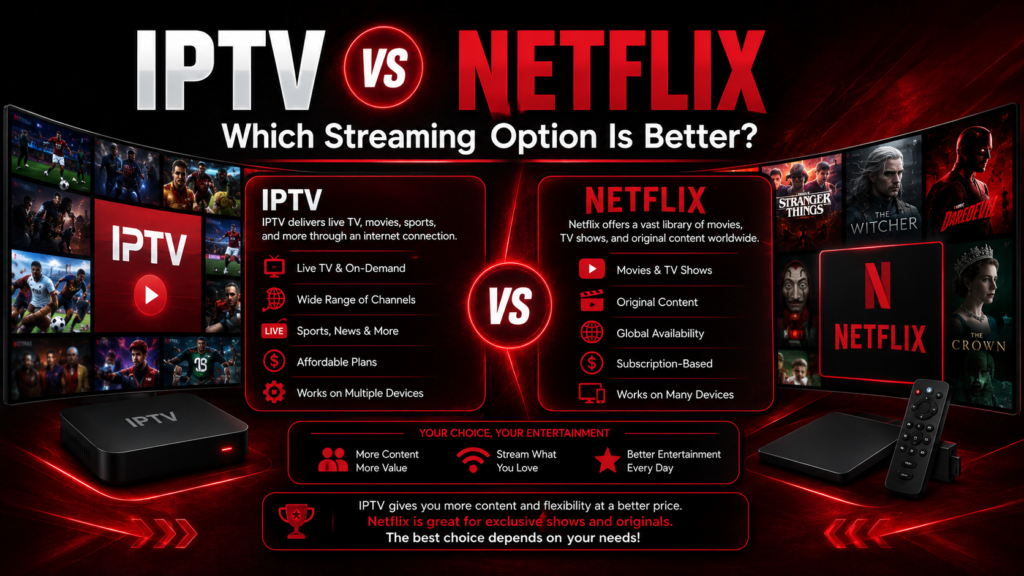
The era of traditional cable television is rapidly fading as modern households embrace digital streaming solutions. However, with so many entertainment platforms available today, viewers face a major choice when deciding how to cut the cord. The ongoing debate of iptv vs Netflix highlights two very different approaches to watching television.
While Netflix revolutionized on-demand movie and TV series binge-watching, internet protocol television platforms provide live cable networks, live sports coverage, and pay-per-view events alongside vast VOD libraries. In this IPTV vs Netflix comparison, we will evaluate channel variety, pricing, live events, content flexibility, and overall value to help you choose the best option for your home.
Feature Comparison: IPTV vs. Netflix
When comparing IPTV vs streaming services, several core features differentiate an IPTV streaming service from a traditional Netflix streaming platform.
1. Channel Variety and Live Content
- Netflix: Focuses exclusively on on-demand movies, TV series, and original productions. It lacks local news, network television (ABC, CBS, FOX, NBC), and live sports.
- IPTV: A comprehensive live TV streaming service providing access to thousands of live channels, local broadcasts, international programming, and premium sports networks.
2. Live Sports and Special Events
For sports fans, comparing iptv vs netflix highlights a major difference. Netflix does not broadcast live weekly sports leagues or PPV events. An IPTV provider delivers dedicated live sports streaming service channels for NFL, NBA, MLB, NHL, MMA, WWE, and global soccer leagues.
3. Pricing and Cost Efficiency
Comparing Netflix subscription plans with an IPTV subscription service reveals significant financial advantages for cord-cutters.
NETFLIX:
- Base to Premium tiers range from ~$7 to ~$23+ per month.
- Content limited strictly to Netflix’s internal library catalog.
- Adding separate services for sports/live TV inflates total monthly bill.
PRIME TIME TV APP (IPTV):
- Single comprehensive plan starting at affordable monthly/annual rates.
- Access over 22,000 live channels + 120,000 VOD movies & series.
- Replaces multiple streaming apps under one roof, serving as an ideal cord-cutting solution.
Content & Entertainment Diversity
Evaluating digital entertainment platforms requires looking at content diversity. While Netflix invests heavily in award-winning original series, its overall library varies by geographic region due to complex licensing agreements.
Conversely, an IPTV platform offers extensive IPTV channel variety, providing global entertainment options without regional restrictions. Whether you want to watch live breaking news, catch international broadcasts in native languages, or stream full movie sagas, IPTV provides unmatched variety.
At Prime Time TV App, viewers gain access to over 22,000 live channels and more than 120,000 VOD options in full HD and 4K, powered by Anti-Freeze™ 8.0 technology to ensure smooth playback.
Head-to-Head Comparison Table
Here is how these two cord-cutting solutions compare side-by-side:
| Feature Category | Prime Time TV App (IPTV) | Netflix |
| Live Broadcast Channels | 22,000+ Live Channels | None |
| Live Sports & PPV | Included (NFL, NBA, UFC, WWE) | No Live Sports Coverage |
| VOD Movie & Show Library | 120,000+ Movies & TV Seasons | ~6,000+ Catalog Titles |
| Local News & Weather | Yes (Zip-code targeted network feeds) | No |
| Multi-Screen Connections | Flexible 1 to 4 connection plans | Restricted by Plan Tier |
| Overall Value | Comprehensive Cable & App Replacement | Single On-Demand Supplement |
Frequently Asked Questions (FAQs)
What is the difference between IPTV and Netflix?
The primary distinction in an IPTV vs Netflix comparison lies in content delivery. IPTV is a live TV streaming service that delivers real-time broadcast television channels, live sports, and local news alongside an on-demand library over the internet. Netflix is strictly an on-demand streaming service offering pre-recorded movies, TV shows, and original series without any live broadcast networks.
Is IPTV better than Netflix for streaming?
If you are looking for a complete cable TV replacement with live sports, breaking news, PPV, and massive channel variety, IPTV is generally the best streaming option. However, if you only care about watching specific Netflix original series on demand, Netflix serves that niche. Many users find IPTV provides far greater overall value.
Which is cheaper, IPTV or Netflix?
Comparing pricing in iptv vs netflix reveals that IPTV offers far more content per dollar. While Netflix costs up to $23+ monthly for a single on-demand service, an IPTV subscription service like Prime Time TV App gives you thousands of live channels, sports packages, and VOD libraries for a comparable or lower overall price.
Can IPTV replace Netflix?
Yes, IPTV can effectively replace Netflix for most households. Services like Prime Time TV App include vast VOD sections featuring over 120,000 movies and TV series episodes, giving you both on-demand binge-watching capabilities and complete live television in one application.
Does IPTV offer more channels than Netflix?
Yes, IPTV offers exponentially more channels. Netflix offers zero live television channels, whereas Prime Time TV App provides over 22,000 live channels covering news, entertainment, premium movie networks, and international broadcasts.
Which option is better for live sports, IPTV or Netflix?
IPTV is vastly superior for live sports fans. Netflix does not stream weekly live league games or PPV events. An IPTV service acts as a premier live sports streaming service, bringing you live NFL, NBA, MLB, NHL, soccer, MMA, and WWE events directly to your device.
Does Netflix provide live TV channels?
No, Netflix is a traditional streaming platform that does not provide live network television, local broadcast feeds, or real-time cable channels.
Is IPTV legal compared to Netflix?
IPTV technology itself is 100% legal; it is simply internet-based television delivery. Legitimate platforms operate standard digital services. Selecting established providers like Prime Time TV App ensures reliable, secure, and professional streaming service operations.
Which streaming service has better movie and TV show content?
While Netflix features exclusive original series, IPTV platforms offer a wider overall selection of movies and TV shows streaming. Prime Time TV App hosts over 120,000 VOD titles, including major blockbusters, timeless classics, and current hit series.
Can I use IPTV and Netflix on the same device?
Yes, you can easily install both IPTV player apps and Netflix on the exact same media streaming device, such as an Amazon Firestick, Android TV Box, Smart TV, or Apple TV.
Which streaming option offers better picture quality?
Both options deliver high quality, supporting HD and 4K playback. Prime Time TV App utilizes Anti-Freeze™ 8.0 technology and high-bitrate servers to ensure live TV channels and 4K VOD content stream smoothly without resolution drops.
Is IPTV more flexible than Netflix?
Yes, IPTV provides greater overall flexibility. It works across diverse hardware (Smart TVs, Firestick, MAG boxes, PCs, smartphones) and allows custom player selection (TiviMate, IPTV Smarters) along with flexible multi-connection subscription plans.
What are the advantages of IPTV over Netflix?
The key IPTV features and benefits include live network broadcasts, local news, live sports, PPV events, extensive international channel choices, and a massive VOD catalog—all integrated into a single service.
Which streaming service is better for families?
IPTV is often better for families because it offers content for every generation: live cartoons and family channels for kids, live news and sports for adults, and massive movie libraries for movie nights across multiple devices simultaneously.
Should I choose IPTV or Netflix for my home entertainment?
If you want complete household entertainment with live channels, live sports, and movies at an affordable price, IPTV is the superior choice. Trying the 24-hour trial at Prime Time TV App is a great way to experience the difference firsthand.
Conclusion & Key Takeaways
When weighing iptv vs netflix, the right choice depends on your entertainment priorities. While Netflix remains a popular app for watching original series, IPTV offers a comprehensive streaming solution that replaces traditional cable entirely.
Key Takeaways:
- IPTV Delivers Live Content: Access live sports, local news, PPV, and network television that Netflix cannot provide.
- Massive Financial Savings: Replace cable bills and multiple app subscriptions with one complete IPTV package.
- VOD Convenience: Enjoy over 120,000 movies and TV shows alongside live channel lineups.
- Unmatched Flexibility: Stream across multiple screens throughout your home using modern devices.
Upgrade your home entertainment experience today! Visit Prime Time TV App to claim your 24-hour trial and explore the ultimate alternative to standard streaming apps!